

Key Takeaways
- Start by auditing your existing workflow to identify “bottlenecks,” such as the tedious manual reformatting of text from print PDFs to digital CMS platforms.
- Use custom GPTs not just to scrape text, but to simultaneously transform it into a digital-first package with SEO titles, meta descriptions, and social media kits.
- Leverage AI to instantly reorganize bulk data—like event calendars or restaurant lists—into niche, categorized digital stories (e.g., “Free Events” or “Family-Friendly”) for better user engagement.
- Use AI tools to get more “mileage” out of your existing high-quality print assets by converting them into multiple digitally-friendly formats like Q&As and lists in seconds.
When we review someone’s workflow, a few common questions come up: Why is this done this way? Is there a better approach? And are there tools or technology that could make this easier or more efficient?
And now today the obvious question many of us are asking: How could AI help you?
Our AI program usually starts with those questions because it helps us establish things that might be really time consuming or just flat-out inefficient.
Those workflow conversations are what led us to realize how effective custom GPTs can be, especially when they’re built to generate content directly from a print PDF or screenshot.
And that’s what I want to focus on in today’s newsletter.
1. How we discovered this workflow
A publisher was recently walking me through how content made it from print to digital at their company and it all started with pulling content from a PDF.
The PDF is the final version of the product, so it’s the most perfect version of the story for many. Pulling the content from that file ensures that what a reader is getting is error free or as close to it as we could possibly hope for.
The publisher’s process was to copy the text from a PDF and then paste it into WordPress. As you might imagine, the formatting really didn’t hold well and the time it was taking to fix all of the paragraph breaks and weird characters was incredibly time consuming.
So that was the problem to solve for.
2. A GPT that massively sped that process up
To start, we took a PDF of a two-page spread and developed very detailed instructions in a GPT to extract the content just as it appeared in print.
After a little testing and massaging, the AI did just what we had hoped and a 20-minute task was done in about 30 seconds.
But we knew that publishing wasn’t just about extracting the text but optimizing it as well, so we asked the GPT in the instructions to do a few additional things:
• Optimize it for SEO with a strong clickable headline, SEO title, URL and meta description.
• Develop a social media pack that included promotion for the story on Facebook, Instagram and LinkedIn.
• Social media graphic ideas that could be used by the art department to visualize the story.
• Formats that could be used to make the story more digitally-friendly like Q&As and lists.
The results were awesome and not only saved time but made the content really work for digital.
Here’s a video I created that visualizes this (click here to watch it)
3. There are so many use cases for this idea
Here are a few really specific ways that you could implement this kind of idea:
• Calendar of events: If your calendar in print has lets say, 10-20 events, not only ask the AI to extract the calendar, but have it break it into segmented stories like: Family-friendly events, free events or art events.
• Special themes: If you run something like a non-profit guide or pages of summer camps, upload all of them and ask the AI to break them into mini stories by topic.
• Top lists: Lots of publishers run things like Top Restaurants, which in print usually has several fields like: Name, area, number of stars, cuisine. Upload those and ask to organize by cuisine, location and price.
With all of these, ask for all of the optimization you may need for the web to get the most out of the work.
One of the common themes I see across so many of our clients is that there is a huge opportunity to get more mileage out of their current content and these examples above really point to that.
We have a really unique AI program that I would love to tell you about. It starts with workflow, addresses inefficiencies and then ends with custom GPTs and AI tools that you can immediately use. Respond to this email or discover more about those services below
Need help growing audience and revenue?
🚀 Want to know how you can work with us? This page outlines our services, approach, current clients and more.
🌐 Follow our LinkedIn and Instagram pages to stay up to date on the latest in media, our blogs and recommendations.
📬 Sign up for our monthly LinkedIn newsletter which provides company updates, tips and more.
👋 You can always drop me a note by responding to this email, emailing david@davidarkinconsulting.com or calling 832 407 0188.
We'd love to help your organization! Fill out the form below to get started.
Recent Posts
Aug. 07, 2026
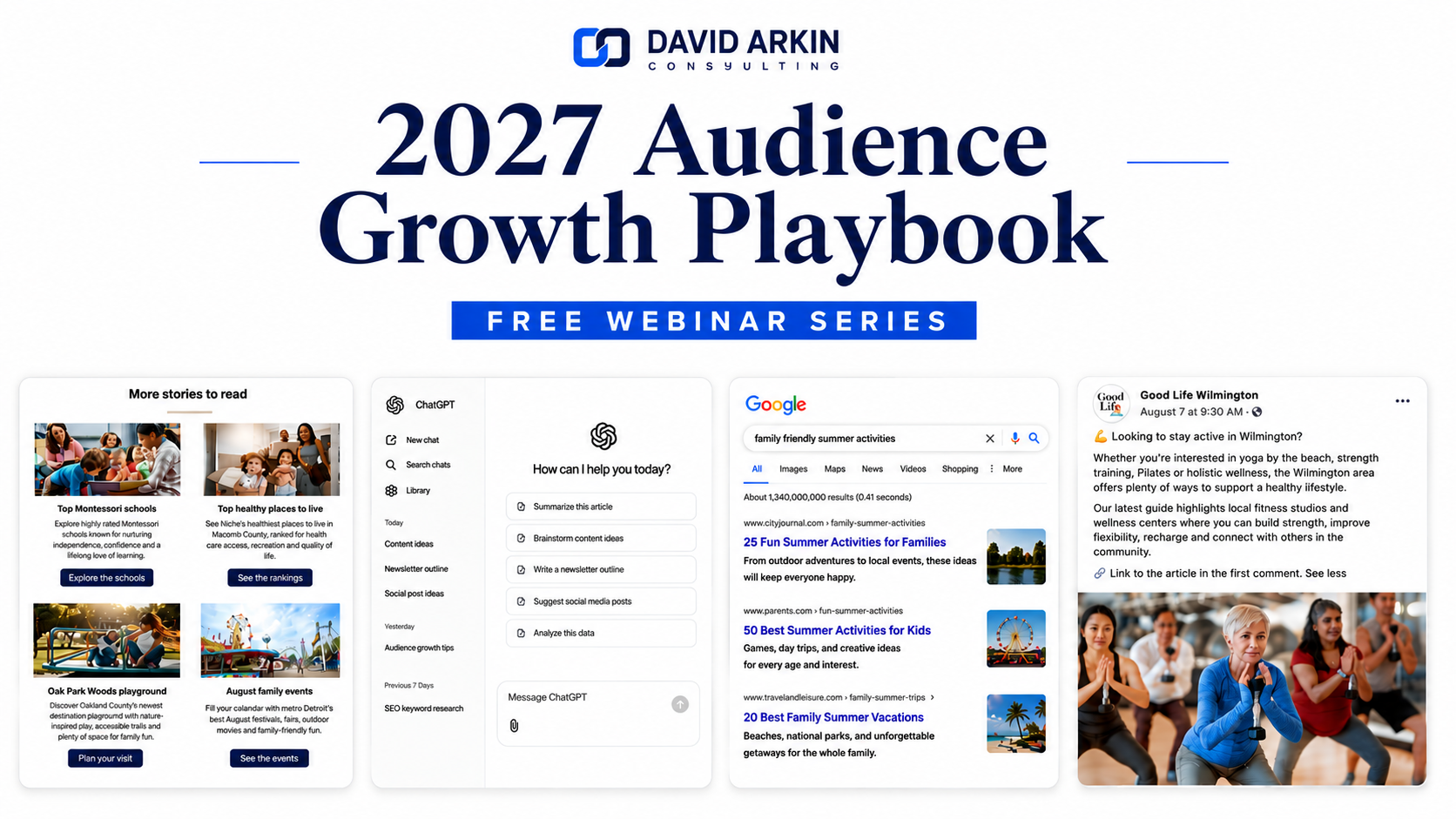
David Arkin Consulting launches 2027 Audience Growth Playbook, a free four-part webinar series for publishers

Jul. 28, 2026
Why branded content is the ultimate launch strategy for any new business

Jul. 20, 2026
How embeddable content can help grow search traffic and AI visibility

Jul. 14, 2026
3 search changes every publisher should be paying attention to right now
Jul. 07, 2026
3 lessons shaping media companies during the first half of 2026
Sign Up For Our Newsletter
Case Studies

Jul. 05, 2026
The Reels strategy helping one TV news anchor grow her audience

May. 27, 2026
How Pittsburgh Magazine created AI workflows their teams are now regularly using

Mar. 16, 2026
How a unique training program is helping a university newspaper learn the digital skills newsrooms need
Jul. 30, 2025
How analytics can make your content better and your sales case studies really effective

Feb. 06, 2025