

One of the most common frustrations I hear from media companies is that the suggestions they get from AI don’t sound like them or match their brand.
That could be a social media caption that sounds too much like an ad or a suggested edit that uses words their team would never use.
I’m going to spend some time in today’s newsletter showing you how to personalize AI so its suggestions better match your style and your publication’s standards.
Before that, I want to send out a friendly invite to attend our final 2027 Audience Growth Webinar next Wednesday, Oct. 28 on AI tools and workflows media companies should be using. You can register for the free webinar here.
Now on to this week’s newsletter.
How to turn personalization on
There are a variety of areas in your AI settings where you can give the platform a better chance of matching your style. Let’s go through these.
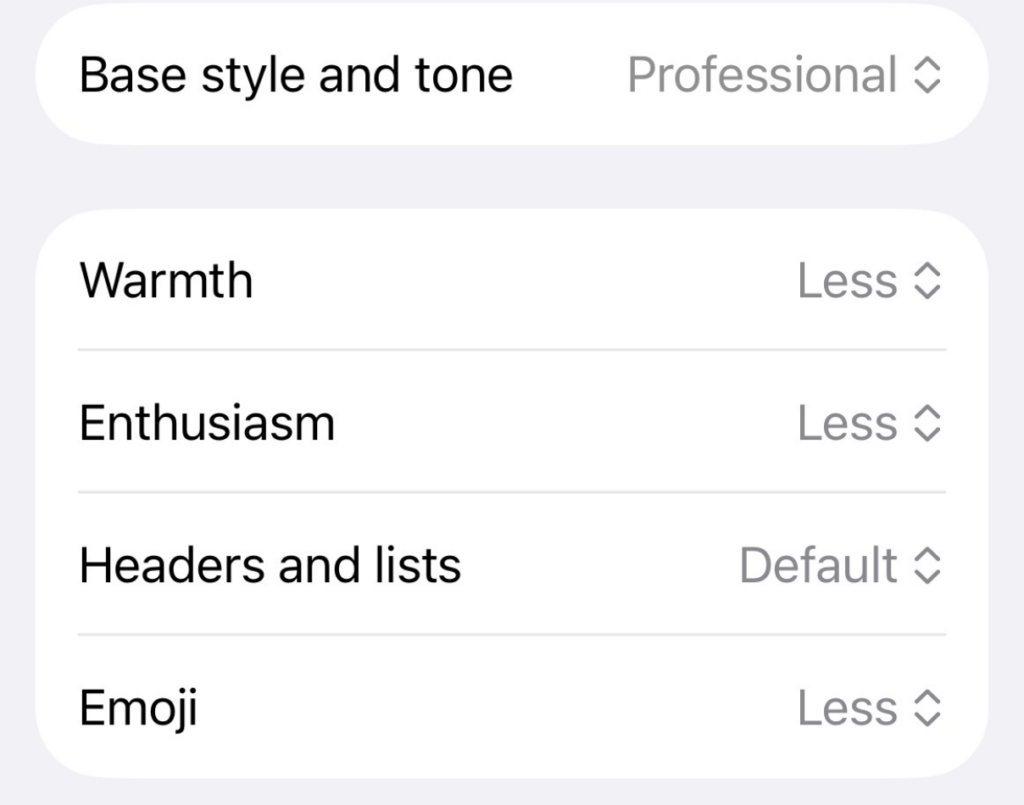
• Tone and style settings: In ChatGPT, go to Settings, then Personalization, and look for “Base style and tone.” You can choose a tone like Professional, Friendly, Candid, Quirky or Efficient, then adjust the warmth, enthusiasm, use of headers and lists, and emojis to better match your goals and style.
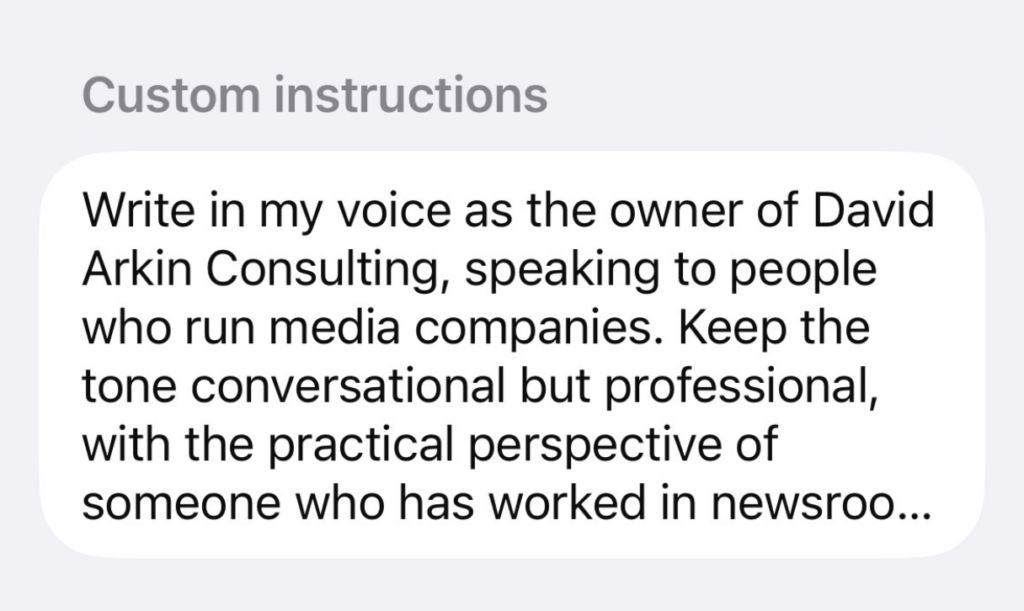
• Custom instructions: This is an important area because it allows you to give very detailed instructions on what to do and what to avoid. In this same area, you can share more information about you or your company. All of this will help you get better results from your prompts.
• Writing samples: Add a few examples of work that sounds like you, such as newsletter introductions or social media posts. If you are using an AI tool to offer edits, upload a handful of stories you have written that match the tone you write in, so the edits match that style.
Use projects and plugins
With custom GPTs being retired, publishers should look at plugins and projects as a way to ensure what they built in GPTs can still be used. These tools allow you to create instructions and sources around a task and then just upload content to have the task created.
If you use these, you will want to create clear, detailed instructions that explain the task, along with attaching source materials such as your editorial handbook or your media kit.
Opposed to starting from scratch each time, these tools are very efficient and gives the AI standards that match your work and tone. We have created these workflows for things like editing, social media and SEO optimization, prospecting, proposal generation and much more.
I personally have found that the more useful information you provide about your publication and the work you are doing, the better the result you get from AI.
Turn your memory on
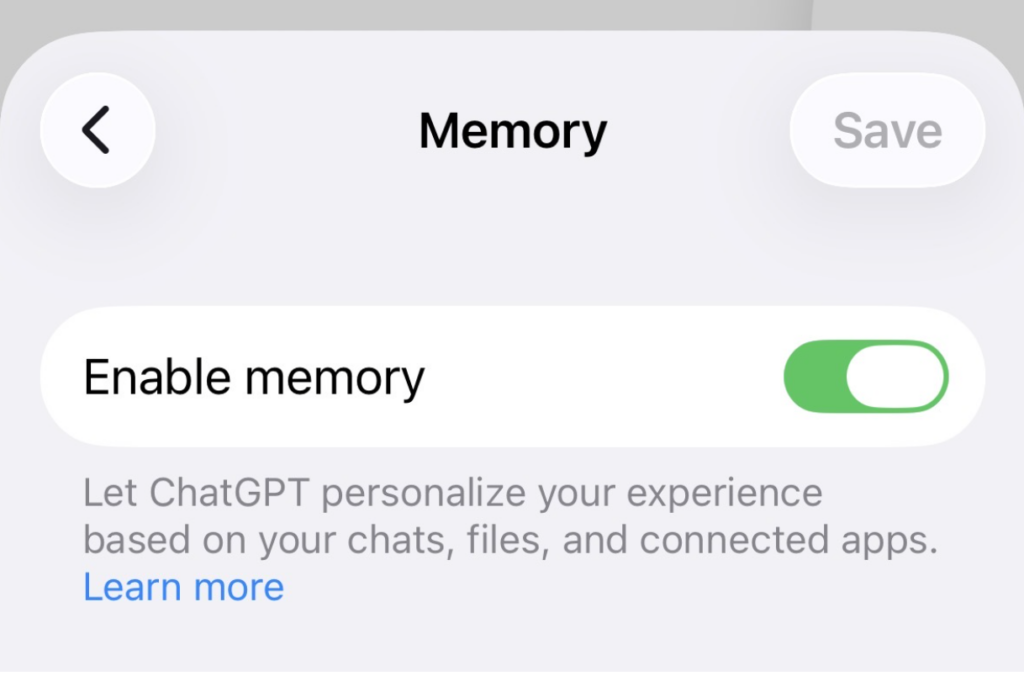
Another useful step you can take if you are using ChatGPT is to turn memory on. This helps you avoid having to explain your publication and your preferences every time you start a new chat.
You’ll find it under Settings, then Personalization, then Memory. Once it’s on, type something like, “Remember that our publication serves local parents. When suggesting edits or social captions, follow our editorial style and avoid promotional language.”
Every once in a while, ask ChatGPT what it remembers about you. You can correct anything it has wrong or add more about your publication and how you want it to help your team.
Need help growing audience and revenue?
🚀 Want to know how you can work with us? This page outlines our services, approach, current clients and more.
🌐 Follow our LinkedIn and Instagram pages to stay up to date on the latest in media, our blogs and recommendations.
📬 Sign up for our monthly LinkedIn newsletter which provides company updates, tips and more.
👋 You can always drop me a note by responding to this email, emailing david@davidarkinconsulting.com or calling 832 407 0188.
We'd love to help your organization! Fill out the form below to get started.
Recent Posts
Oct. 26, 2026
How can you set up AI to better support your team?

Oct. 26, 2026
How to get more social media mileage from your best content

Oct. 20, 2026
How to handle 5 everyday SEO decisions in your newsroom

Oct. 20, 2026
Here’s a practical publisher guide to re-engaging newsletter readers

Oct. 20, 2026
The old Facebook playbook isn’t working. What should you do now?
Sign Up For Our Newsletter
Case Studies

Jul. 05, 2026
The Reels strategy helping one TV news anchor grow her audience

May. 27, 2026
How Pittsburgh Magazine created AI workflows their teams are now regularly using

Mar. 16, 2026
How a unique training program is helping a university newspaper learn the digital skills newsrooms need

Jul. 30, 2025
How analytics can make your content better and your sales case studies really effective

Feb. 06, 2025